Maansi Surve is a product designer with experience across big tech  , enterprise SaaS, B2B, and nonprofit design in Seattle & the Bay Area.
Designer
Maansi's Playground
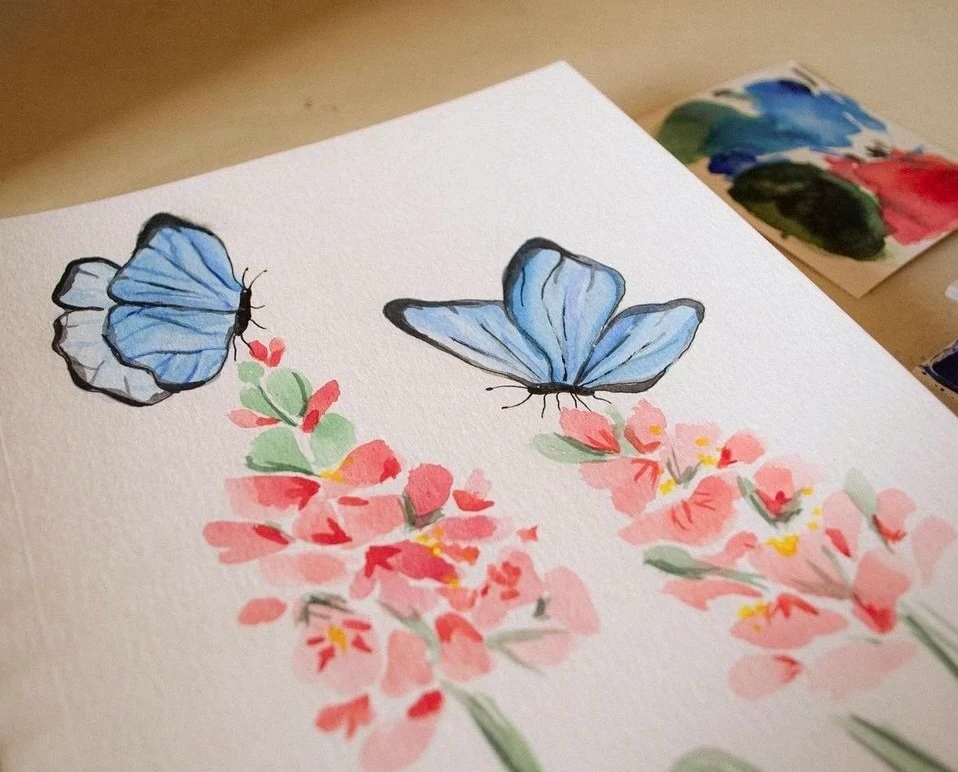
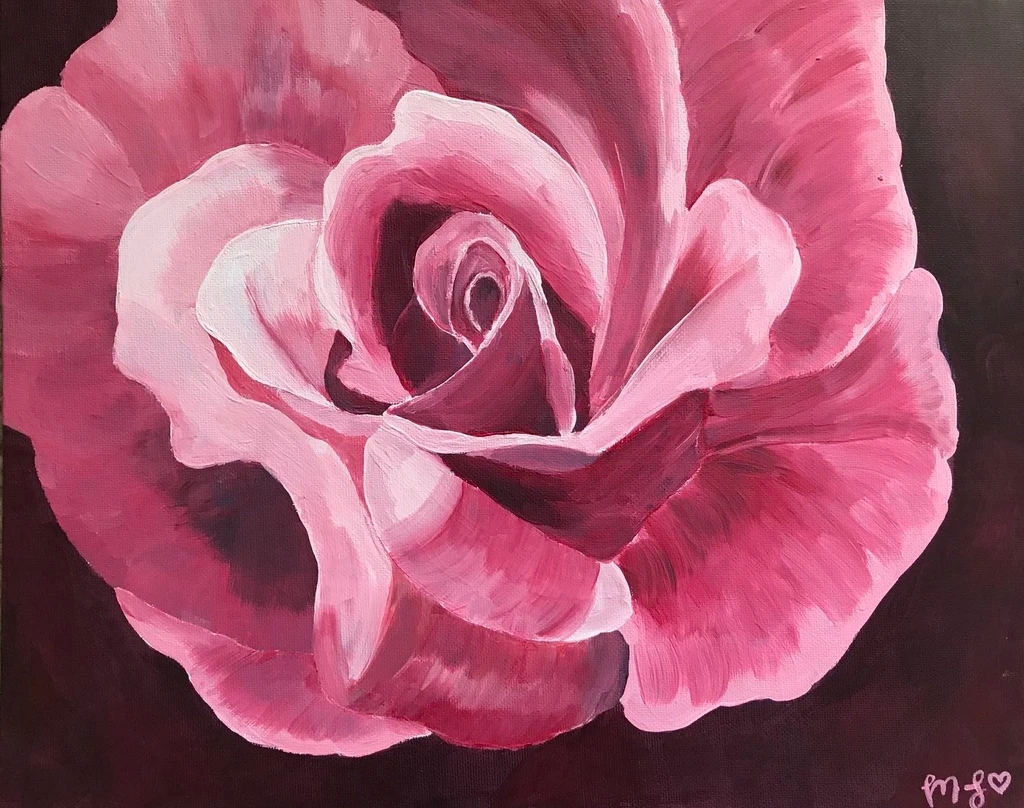
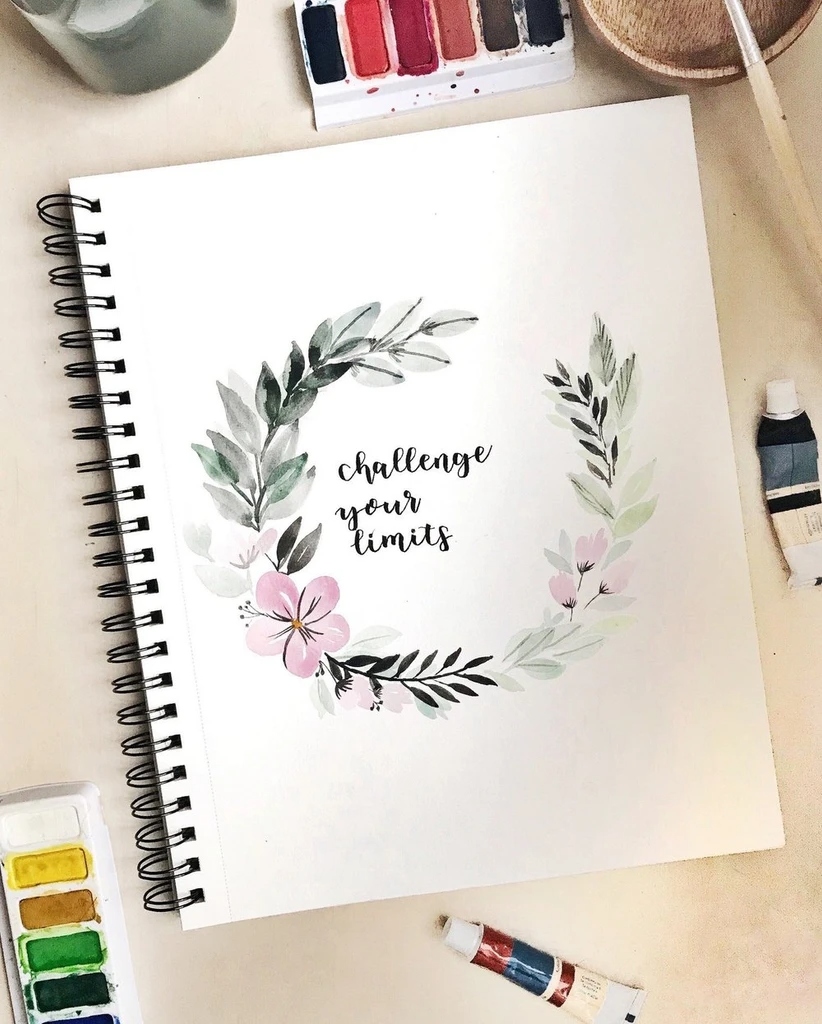
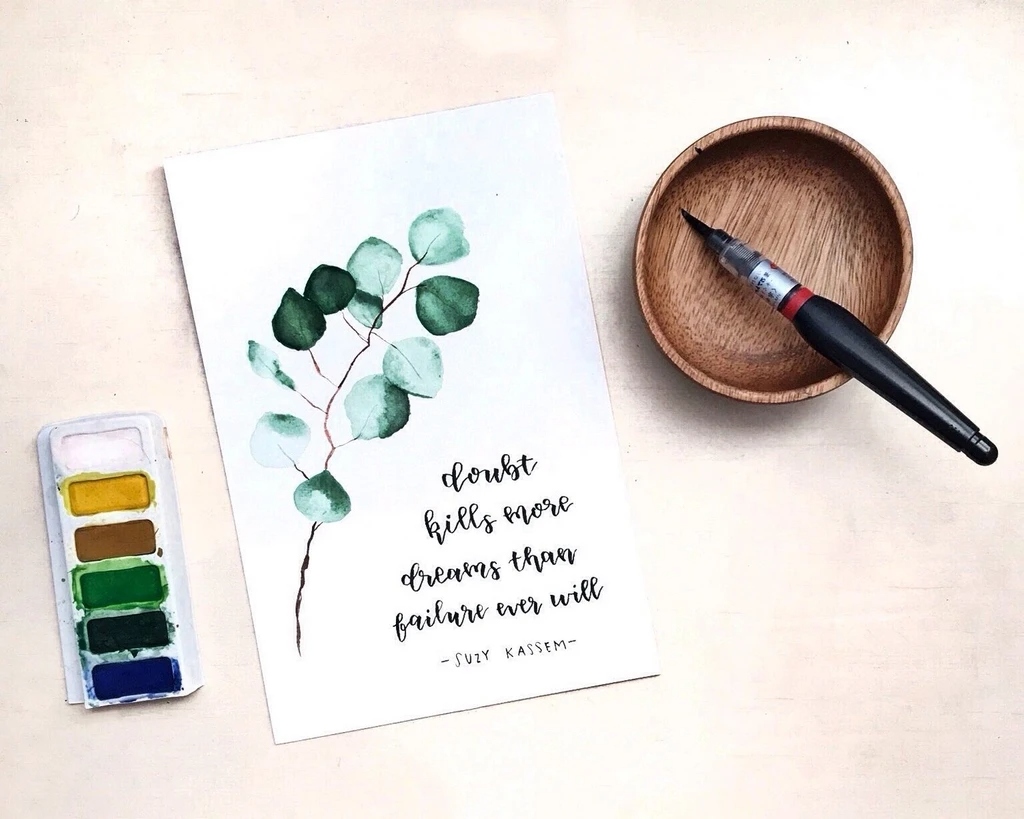
Paper & pencil
Growing up, I’ve always had an eye for art & colors. I started pursuing my passion of creating my own art by starting out with paper, paint, and pencils, and that passion has now developed into a love for visual design.
Photography
I love being able to create a visual journal of moments I've captured! I take photos as a hobby & side hustle :")


Hi, I’m Maansi!
I’m a new grad from the Information School at the University of Washington, with a concentration in Human-Computer Interaction. I’m a creative thinker 💭, lifelong learner 🧠, and visual storyteller 🖼️.
I’m inspired by how people interact with everyday technology, and the stories behind their experiences. By grounding every decision in real user needs and insights, I aim to build beautiful experiences that make technology feel seamless and engaging :)
Excited to explore new design opportunities & connect!

Taking the trip out of the group chat.
You've sent the TikTok. You've made the spreadsheet. You've typed "bumping this" into the group chat for the fourth time. And somehow, the trip still isn't planned.
That's the gap droppit fills: one shared space where every idea, list, and plan actually lands, instead of disappearing into scroll-back. Let's take this trip out of the group chat.
Gen Z Trip Planning
Gen Z has trip inspo everywhere. The problem isn't finding ideas—it's keeping them organized.
Gen Z trip planning is very “save now, organize later.” Travel inspo starts on social—especially TikTok, Instagram, and Pinterest—but the actual planning still happens across screenshots, Notes, Google Sheets, and messy group chats.
TikTok travel videos get 40x more saves than comments, showing that people collect ideas faster than they act on them. A Troupe UX case study also found that 89% of people find group trip planning stressful, and 86% want trip details centralized in one place.
Key Insights
- Planning is fragmented: Ideas live across TikTok saves, screenshots, Notes, Sheets, and group chats.
- One friend becomes the PM: The most organized person ends up researching, organizing, and chasing replies.
- Group chats are bad for decisions: Small choices like food, transport, and timing turn into endless back-and-forth.
- Budgets surface too late: Cost, pace, and trip style usually come up after tension already starts.
Competitor Landscape
Competitors solve slices, not the full flow. None fully combine inspo, docs, lists, sheets, and group visibility in one lightweight hub.
MVP Scope & Core Loop
Instead of building a full itinerary app right away, the MVP focuses on the highest-impact behavior: making it easy to drop anything into one shared trip hub.
The Core Loop
Create trip → Invite friends → Tap + → Add a doc → Everyone sees update
What Ships in v1: The Doc Types
- 📌 Inspo Board: A grid for saved images, links, screenshots, and travel ideas.
- 📊 Sheet: A flexible grid for budgets, comparisons, or logistics.
- ✅ List: Checklists for packing, places, tasks, or reminders.
- 📝 Note: Quick freeform text for ideas, plans, or research.
Not In v1 (Intentional Constraints)
To keep the MVP focused, features like Voting (already a crowded space), Dedicated budget tools (handled through Sheets for now), Maps (useful later, but separate from core docs), and Rich text editing (kept lightweight for validation) are intentionally excluded.
Building the Prototype
Once the MVP was defined, I used Claude to shape the initial product prompts, then used Figma Make to build the prototype.
Claude helped me translate the research and MVP scope into clearer product logic, while Figma Make helped me move faster from idea to interface. I then refined the flow, screens, and product decisions myself to make the experience feel lightweight, social, and easy to use.
Where You Go
Overview & Context
Placed Top 3 in the "Best Design" category at the UW Women in Informatics 14th Annual Hackathon.
I’m happy to share that our team placed Top 3 🏆 in the “Best Design” category at the UW Women in Informatics 14th Annual Hackathon!
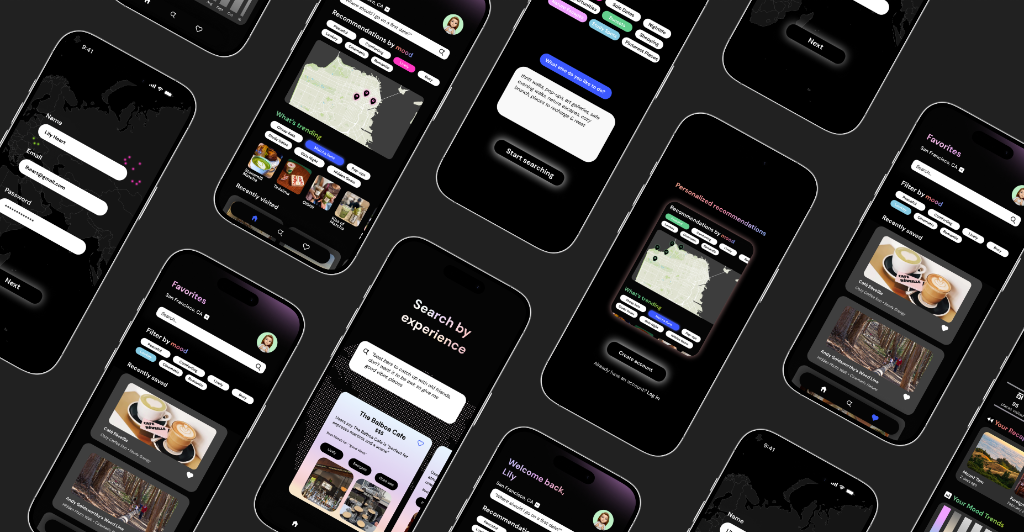
This year’s theme was “Depths of Discovery, Currents of Creation,” and my team and I prototyped an experience-first discovery app called Where You Go. We reimagined how people find places in a world where platforms like TikTok and Yelp often prioritize popularity & viral trends over what you’re actually looking for.
With Where You Go, users can search prompts like “Where should I go with my friends to grab a quick coffee & catch up?” and receive recommendations based on real lived experiences & intention, making exploration feel more authentic & personal.
My Contributions
I focused on designing the Onboarding flow 👩🏽💻 (introducing the concept in a familiar, intuitive way), the Home page experience 🏠 (with mood-based discovery & map exploration), and the Favorites page ❤️ (helping users save, filter, and return to meaningful places).
Core App Features
An experience-first discovery app designed around emotional landscapes, mood trends, and AI-powered recommendations.
- 🔍 Experience-first AI search: Find places based on mood, intention, or a custom natural language prompt rather than pure reviews.
- 🗺️ Interactive city map: Visualizes locations as emotional landscapes representing the feelings and vibes associated with places.
- ⭐️ Personalized recommendations: Highly custom suggestions coupled with trending experience categories.
- ❤️ Favorites & saved places: Fast saved-place access with quick mood-based filters for easy revisiting.
- 👤 Profile recaps & mood trends: Insights and analytics reflecting on how you explore the city over time.
Feature Walkthrough & Designs
Interactive walkthrough of the onboarding, home, search, and favorites flows.
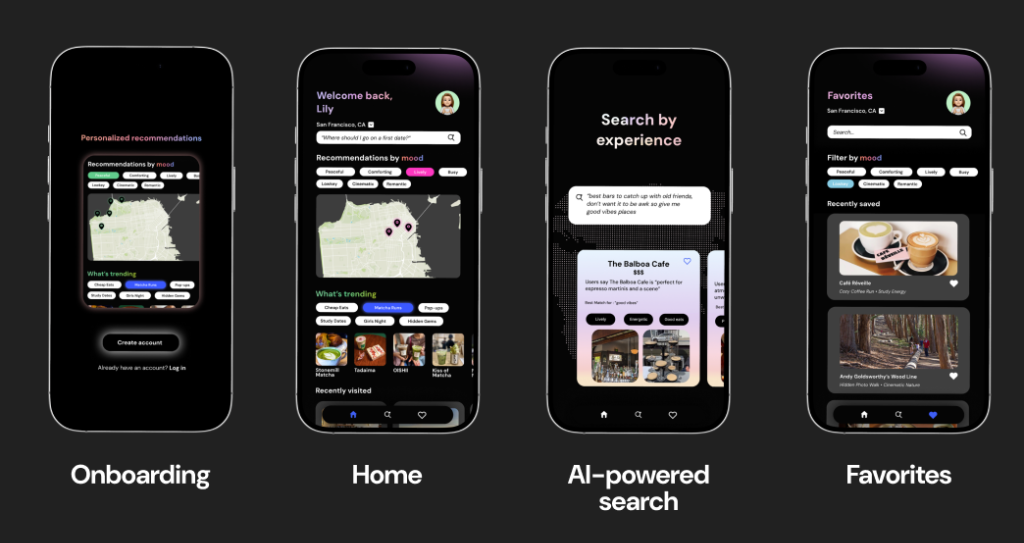
Onboarding Flow
We intentionally designed this to be educational about the app’s features by showcasing what exactly the app offers as users begin to create their account. This helps build initial trust and explains the experience-first discovery method.
Home Page Experience
The Home page was designed to be easy to use and provide multiple valuable insights all in one place:
- Auto-recommendations: Discover experiences instantly.
- Trending features: Personalized categories matched to your interest.
- Interactive maps: Visualizes cities as emotional landscapes representing the feelings of places.
AI-Powered Search
The Search page uses AI to analyze and summarize community reflections, internet reviews, and social media content to extract emotions & generate cohesive "profiles" for each place. These profiles power personalized recommendations, trending experience categories, and our interactive city map.
Favorites Page
All your saves are accessible in a clean, scrollable layout. Features additional filters and a search engine for easy viewing and quick filtering by mood.
Collaboration & Takeaways
Iterating rapidly under constraints while receiving invaluable mentorship from industry professionals.
Although the event moved incredibly fast, I gained so much insight from the mentorship we received throughout the weekend. Huge thank you to the designers from PitchBook & The Walt Disney Company who chatted with us — your guidance truly helped us solidify our concept and tell a stronger story.
Key Takeaways
Most importantly, shoutout to my amazing teammates! We spent hours ideating, designing, and building together, and this experience was genuinely so special because of your creativity & talent.
Windows 365
Project Access
Design contributions for next-generation Windows experiences are currently protected by a Non-Disclosure Agreement.
U District Advocates
Active beta — piloting with local nonprofits in Seattle's U District.
Nonprofits in Seattle's U District relied on scattered emails, spreadsheets, and word-of-mouth to recruit and coordinate volunteers — with no central system for sign-ups, scheduling, or outreach. For our senior capstone, our team was tasked with designing a no-code volunteer coordination platform from the ground up.
We pitched our solution to Cory Crocker, UDistrict Advocates President & Cofounder, and capstone evaluators — and won. The project became an active beta and led to an internship offer to help bring it to real community use.
Research & Community Needs
Gathering direct insights from stakeholder conversations and secondary audits of nationwide registries.
To ground our design decisions in real community needs, we audited competitive systems and interviewed organizers directly.
We met with Cory Crocker (U District Advocates President) to understand workflows, constraints, and capacity.
"You're more or less building a dating app—matching volunteers with organizations."
— Cory CrockerAudited patterns at volunteer registries: Solid Ground, Feeding America, Meals on Wheels, American Red Cross, and Habitat for Humanity.
- Ecosystem Gaps: Identified weak social connections between volunteers and admins.
- Adoption Friction: Audited patterns in event-based vs. recurring volunteer matching.
- Generic Signups: Found little support for skill-based placement.
Focus Areas
Identifying systemic gaps in centralized discovery, volunteer impact visibility, and nonprofit administrative resources.
To understand the coordination landscape, we conducted a stakeholder interview with Cory Crocker and carried out secondary research, uncovering three critical gaps:
"U District Advocates has the opportunity to support local nonprofits by providing a way to collect and use volunteer commitment information, enabling a consistent, dependable pool of volunteers for ongoing neighborhood advocacy work in the U District."
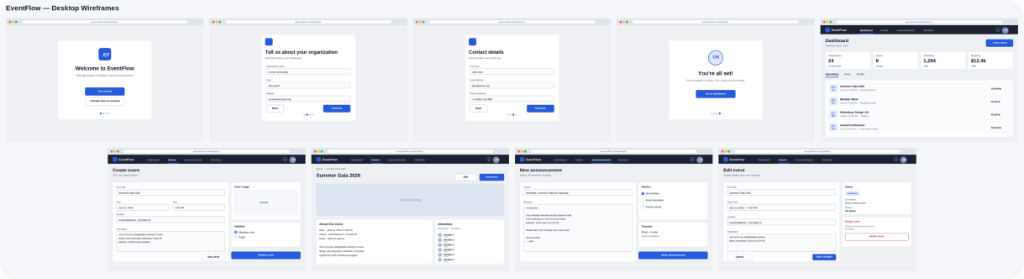
Wireframes & Feature Planning
Mapping user scenarios and lo-fi prototypes before moving into high-fidelity Figma designs.
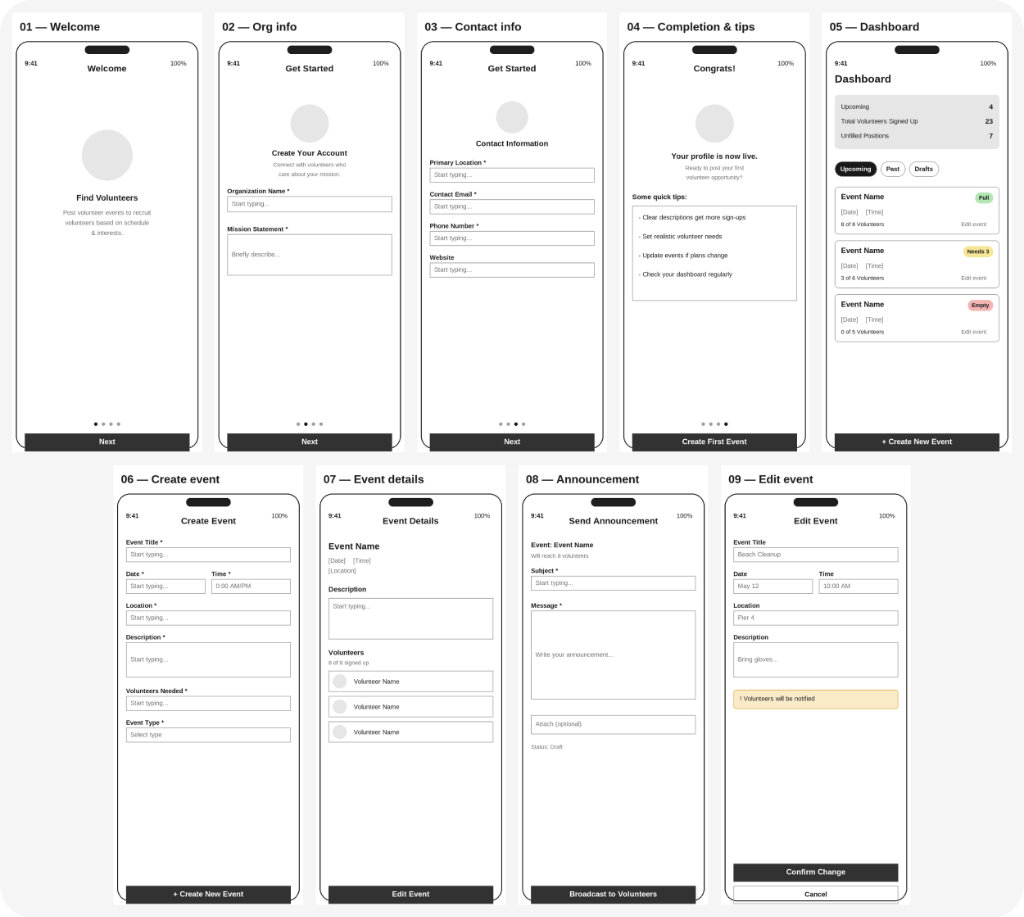
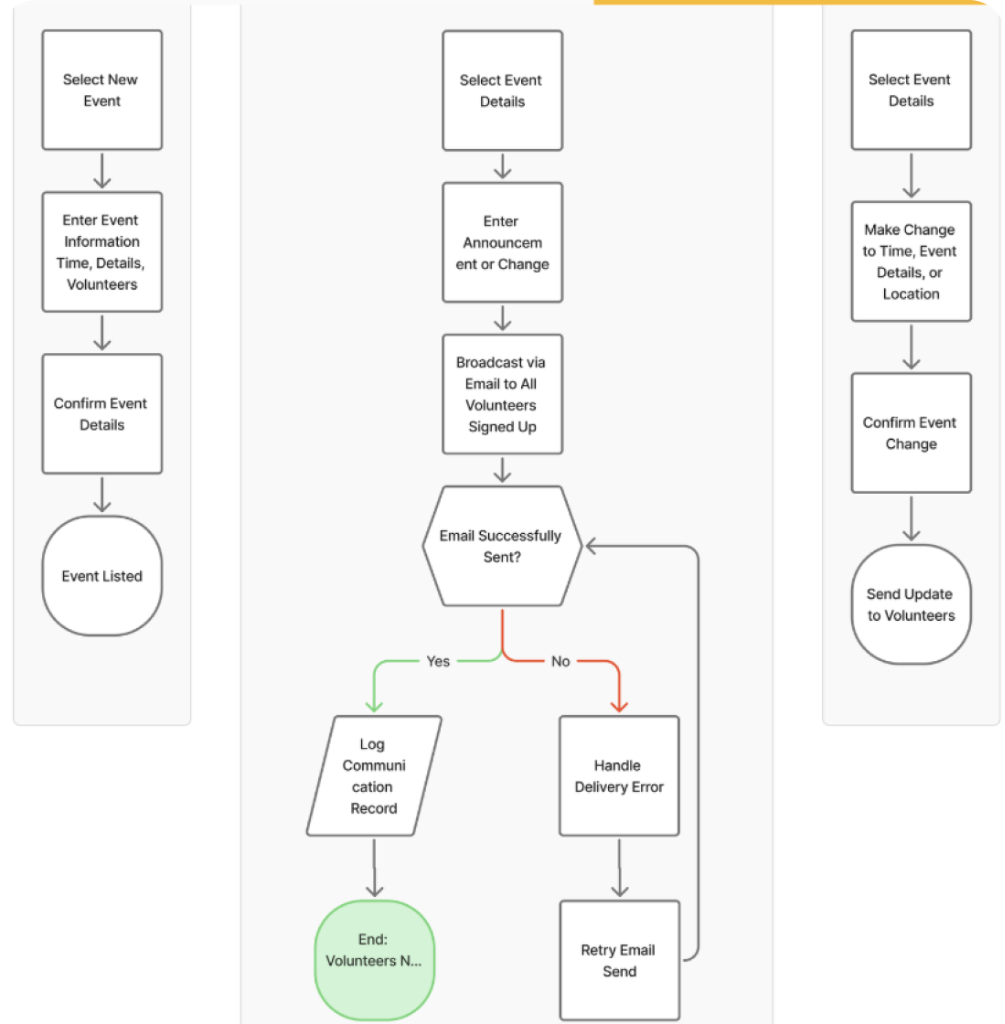
We mapped user scenarios across both sides of the platform, then built lo-fi wireframes using Lovable as a fast baseline — before refining into high-fidelity designs in Figma.
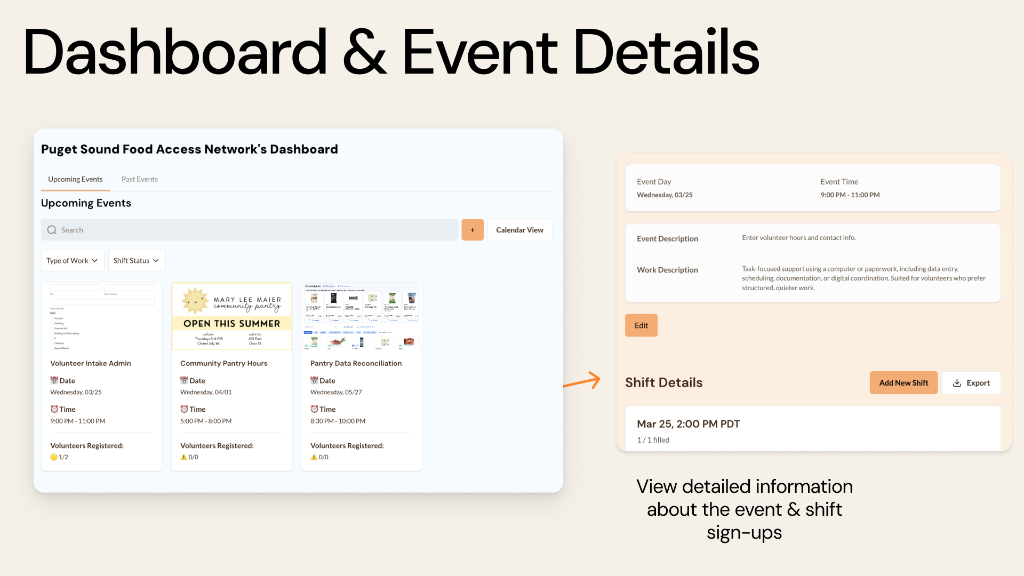
Dashboard
View ongoing events, track current status, and manage administrative workflows at a glance.
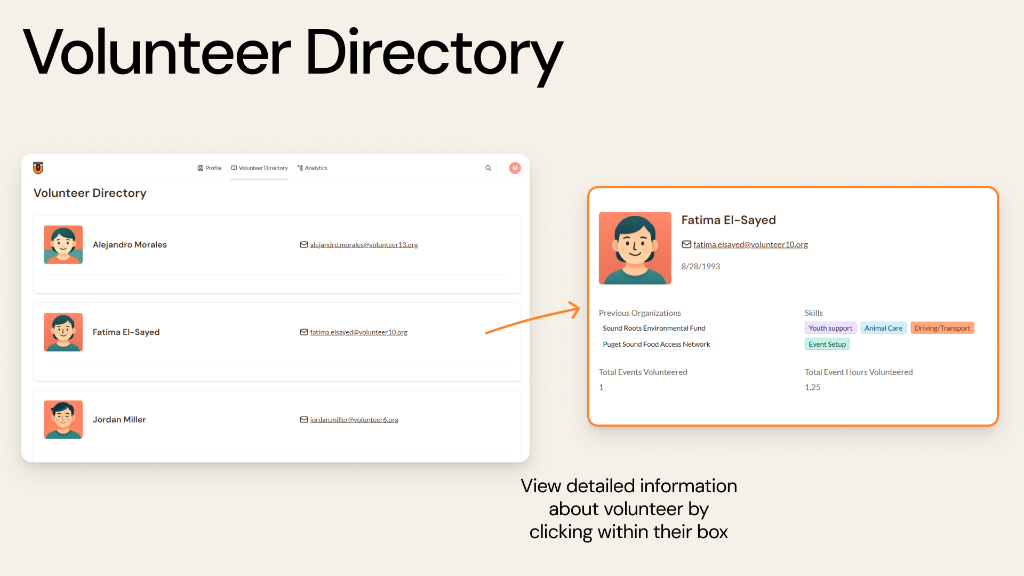
Volunteer Directory
Search, filter, find, and connect directly with volunteers to build a consistent support network.
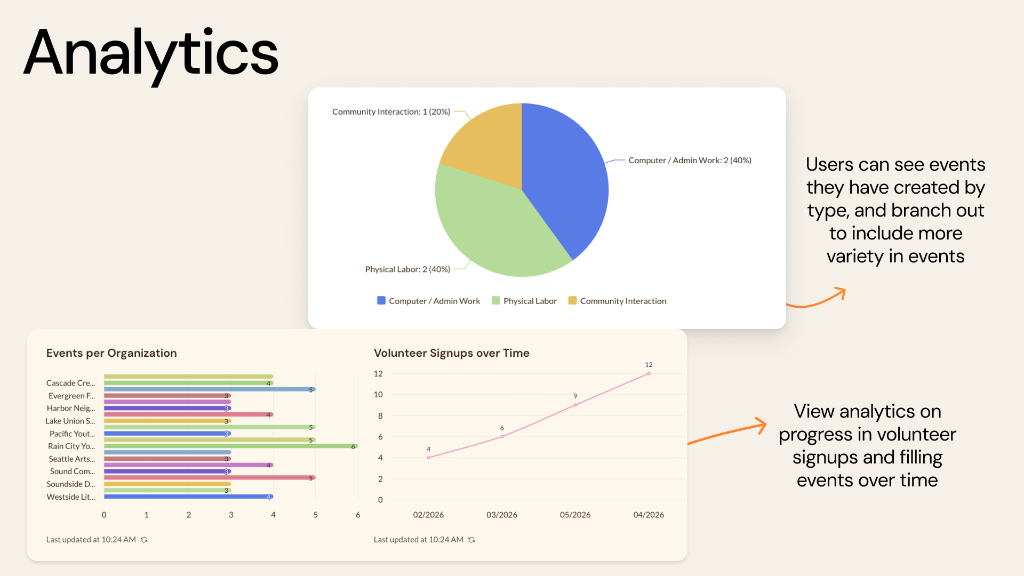
Event Analytics
Analyze performance metrics and track localized community impact over time.
Each feature supports a different stage of the nonprofit admin workflow.
We mapped various user scenarios to explore all possible flows before finalizing them. These flows were then turned into low-fidelity prototypes for the first round of testing. We used Lovable to generate early wireframes, allowing us to explore design directions before refining the experience.
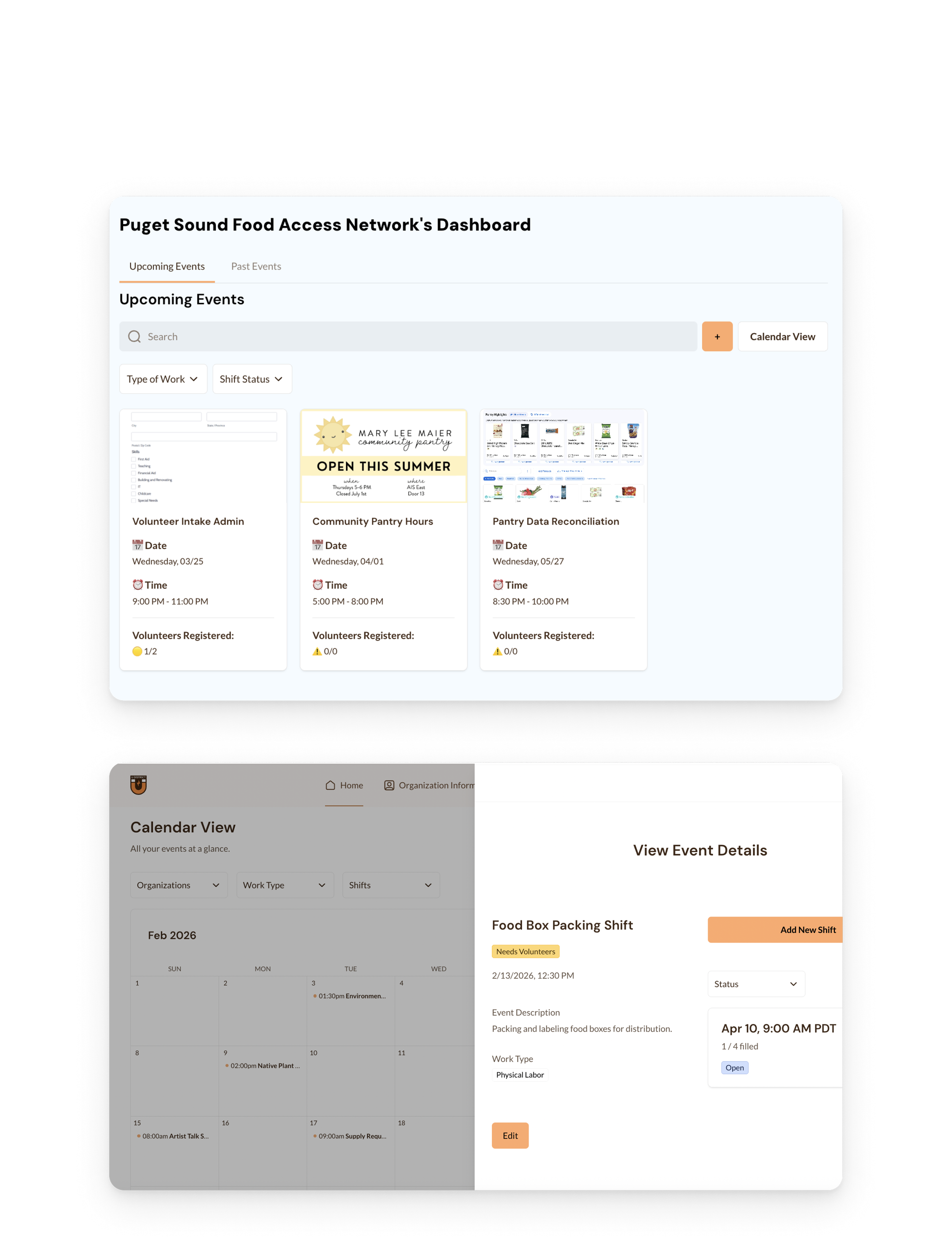
The Final Product: 3 Core Features
High-fidelity designs built to streamline shift lookup, skill-based filtering, and community impact metrics.
The admin dashboard — the side I led — centers around three core features. Screenshots show Puget Sound Food Access Network as an example nonprofit using the platform.
Feedback & Key Pivots
Three rounds of feedback drove meaningful design changes throughout the project.
Reflections & Next Steps
What this project taught me about designing for real constraints, real users, and real launch timelines.
Key Learnings
Working with a real client meant real constraints: limited budget, tight timelines, and a no-code tech stack. It pushed me to prioritize practical, launch-ready decisions over ideal-state UX — and that's made me a better product thinker.
My capstone professor wanted academic rigor. Cory needed business clarity. My teammates needed design direction. Adapting how I framed and presented design rationale for each audience was one of my biggest growth areas on this project.
Not everything designed makes it to beta. Making real calls about what's launch-ready, what's a designed concept, and what's roadmap-only is where I grew most as a product designer.
What's Next
- Bug fixes & polish: Working through active usability feedback and support tickets from nonprofits piloting the beta.
- Nonprofit pilot testing: Coordinating with 10 initial local nonprofits to validate matching flows, event scheduling, and registration pathways.
- Feature expansion: Building out "Types of Work" taxonomies and volunteer security controls based on ongoing feedback.